Case study 02 — Lab analytics
Moving Spotfire's settings home to Signals Research Suite
The Spotfire add-on's settings were boxed in by living inside Spotfire. When product decided to move them into Signals Research Suite, I used the migration to rethink every one of them.
- Company
- Revvity Signals / PerkinElmer
- Date
- May 2023 · Waltham, MA
- My role
- Principal User Experience Designer
- Tools
- Figma, Miro
The problem
Spotfire is the analytics tool that works alongside Signals Inventa through an add-on. Its settings lived inside Spotfire, where technical limits constrained how they could be laid out and edited.
Moving them into Signals Research Suite removed those limits, and opened the door to a full reorganization that matched the rest of the suite.
Process
Not a lift-and-shift. Every setting was reconsidered for how it is actually used.
-
Step 1
Audit what exists
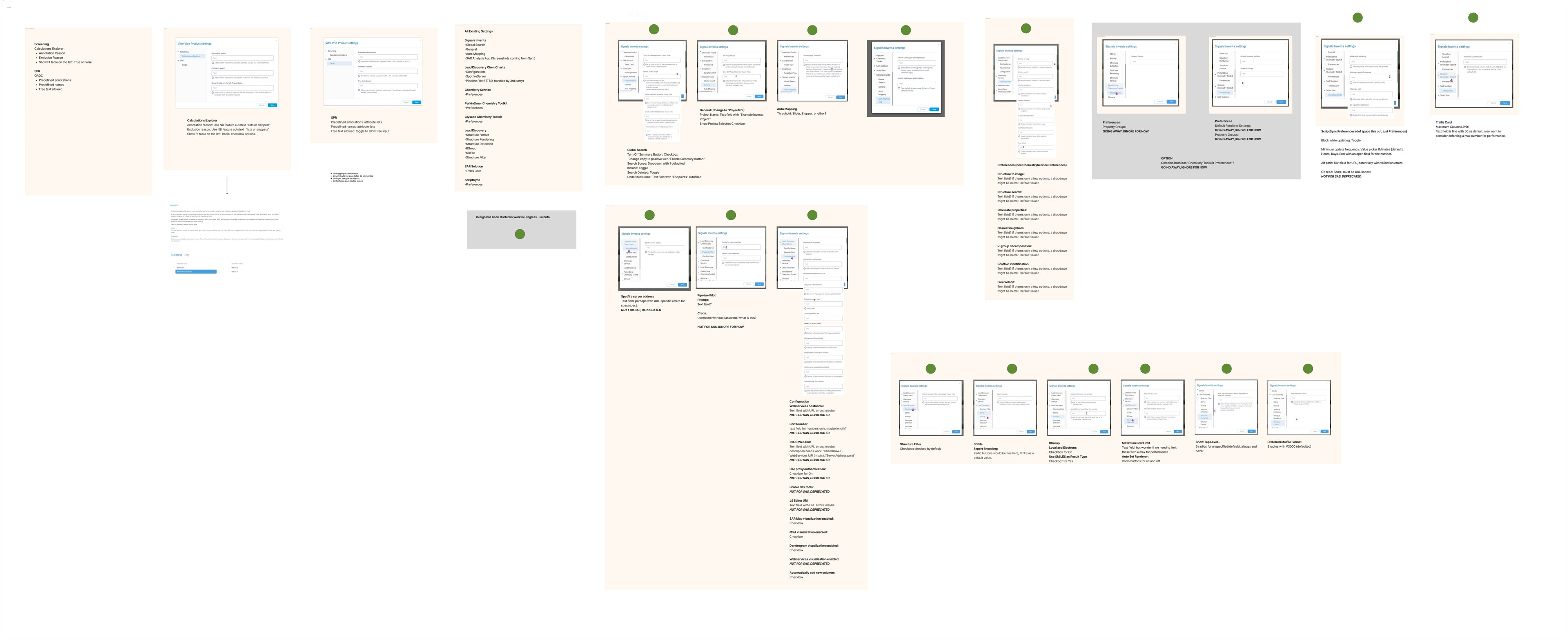
Inventory every settings page as it lived in Spotfire: 18 pages across 8 components, from Inventa and Lead Discovery to ChemCharts, SAR Solution and ScriptSync. Settings that were deprecated or going away were flagged rather than rebuilt.
-
Step 2
Rethink by use case
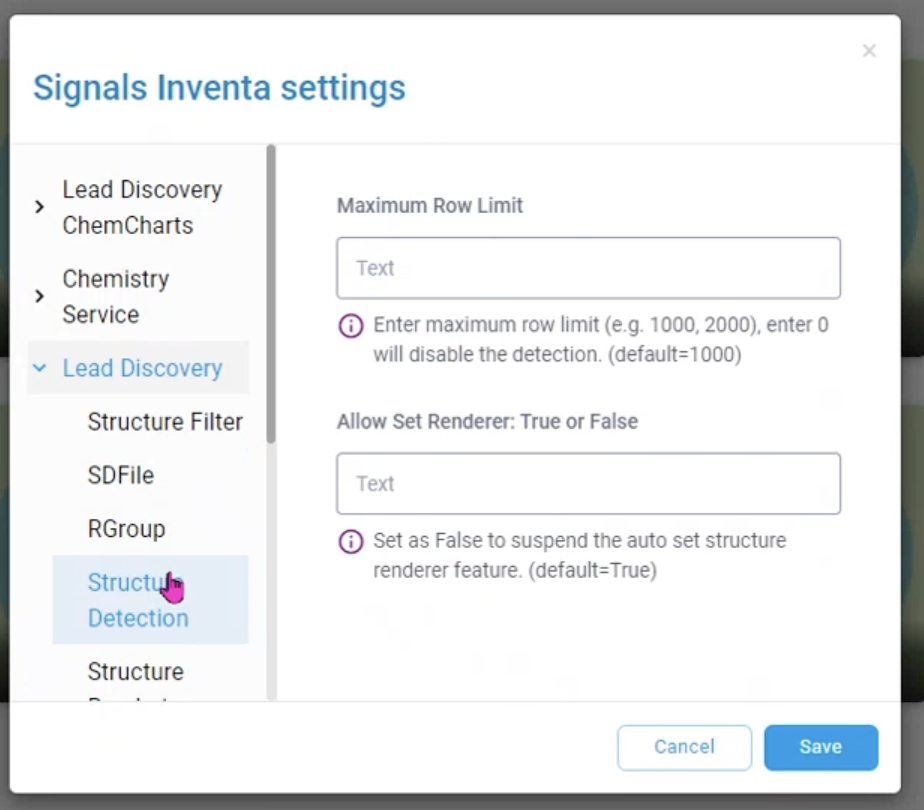
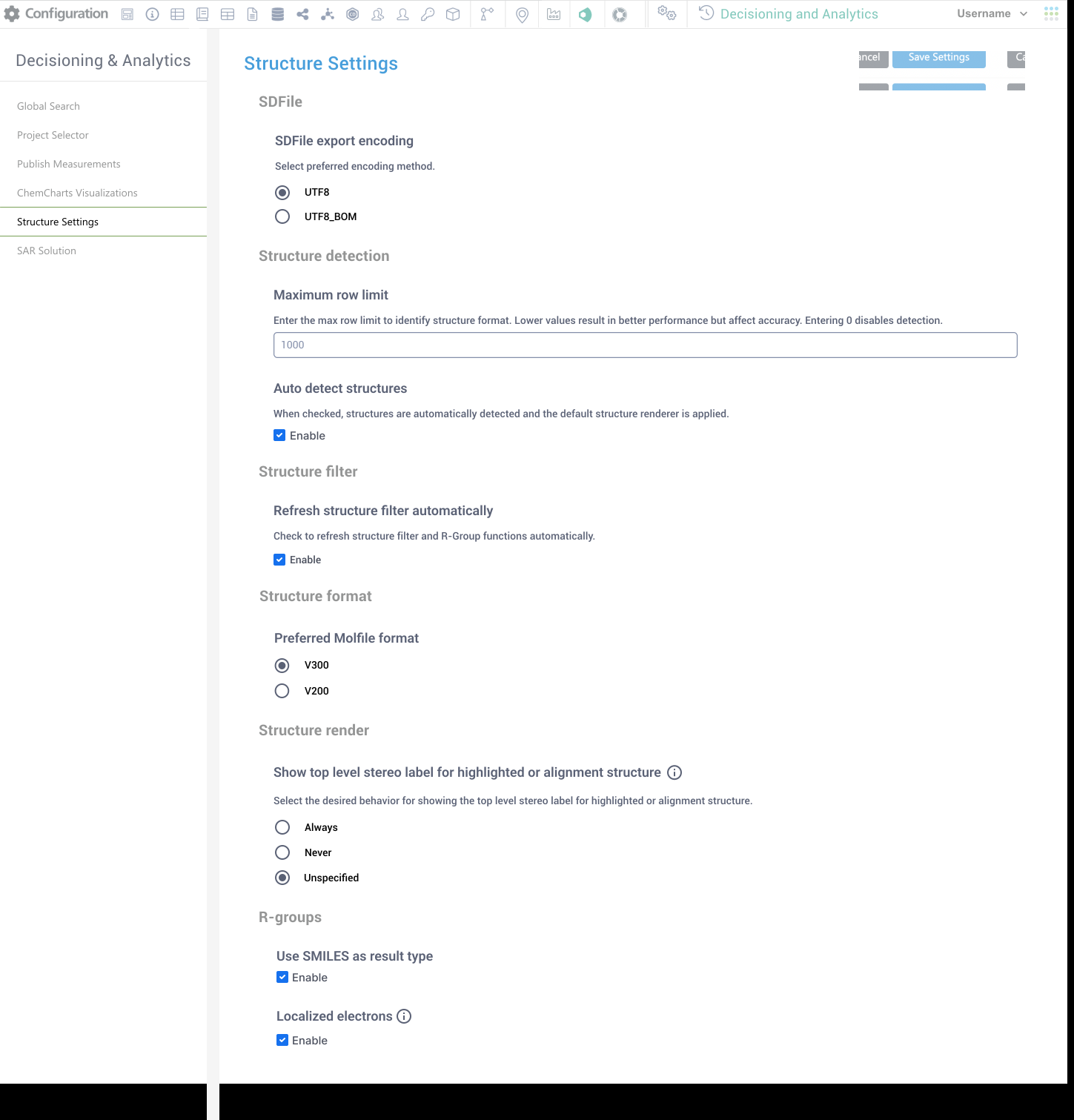
Ask how each one is used and choose the right input. A planned on/off radio pair for setting the renderer became a single “Auto detect structures” checkbox, with one line saying what it does.
-
Step 3
Rebuild in the suite's language
New settings panels that look and behave like the rest of Signals Research Suite, each with plain-language help text. The row-limit field, for example, explains the speed-versus-accuracy trade-off and that 0 turns detection off.
Before and after
Outcome
Shipped to customers as part of Signals Research Suite. Out of Spotfire, the settings now follow the suite’s own patterns, and because of the audit only settings still in use were rebuilt; deprecated and retiring ones were left behind.
Next case study
PDX Finder