Case study 03 — Genomics research tools
PDX Finder: search for cancer models by tumor, gene and drug
Cancer researchers buying patient-derived xenograft models needed to narrow a large catalog fast. I designed a search tool built around the three questions they ask first.
- Client
- START
- Year
- 2017 · Cambridge, MA
- My role
- Product Designer / UI & UX
- Tools
- Axure
The problem
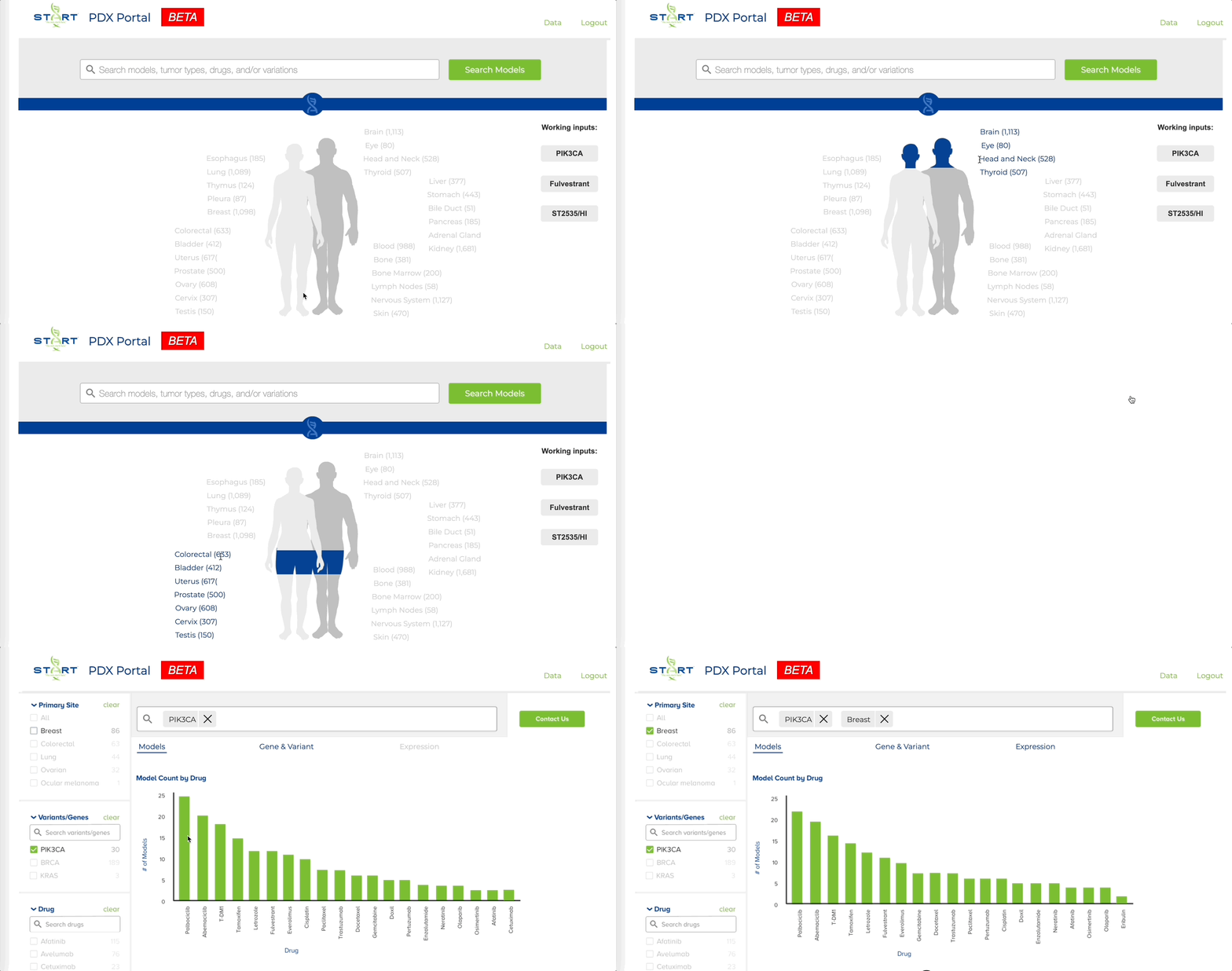
PDX models are tumors grown from a patient's own cancer tissue, used to test how real cancers respond to treatment. Choosing the right one means matching on several scientific attributes at once.
Prior to this, PDX models could only be found by contacting START directly and speaking with a representative over the phone, a painstaking and slow process for a complex and pressing medical need.
Three ways in
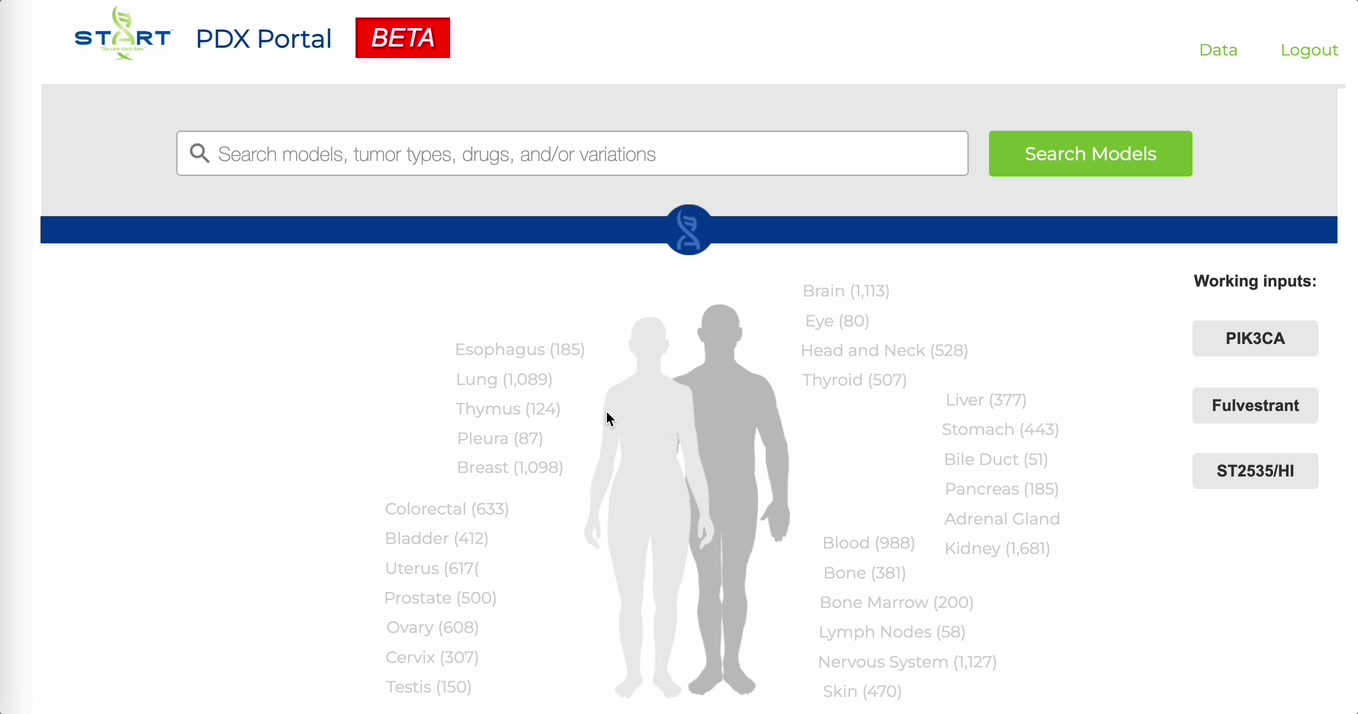
Researchers filter on the attributes that decide whether a model fits their study, then go straight to purchase.
Filter 1
Original tumor site
Where in the body the patient's cancer began.
Filter 2
Genes expressed
The molecular profile a study needs to target.
Filter 3
Drugs tested
Which treatments have already been run on each model.
The design
Outcome
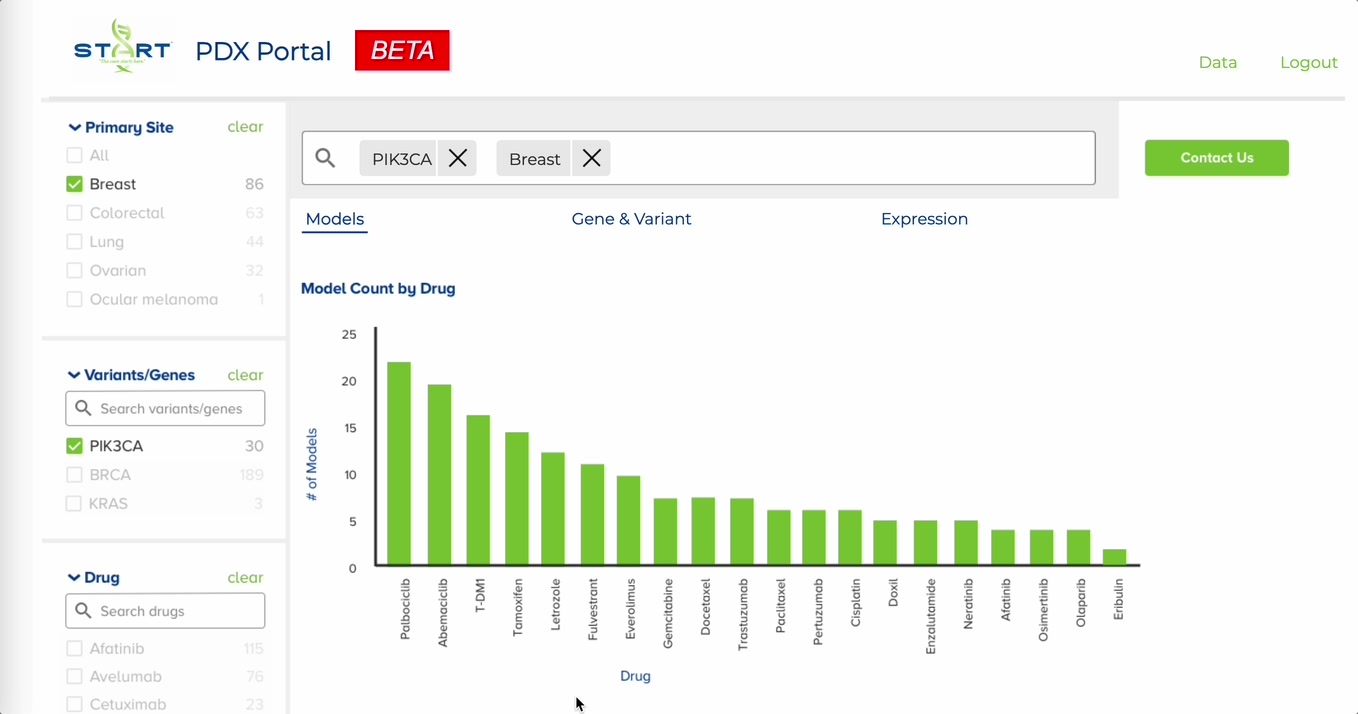
The portal launched as a beta for START, letting researchers search by tumor site, gene or drug and see the matching models charted by drug.
Back to the first case study
Catching redundant medical tests